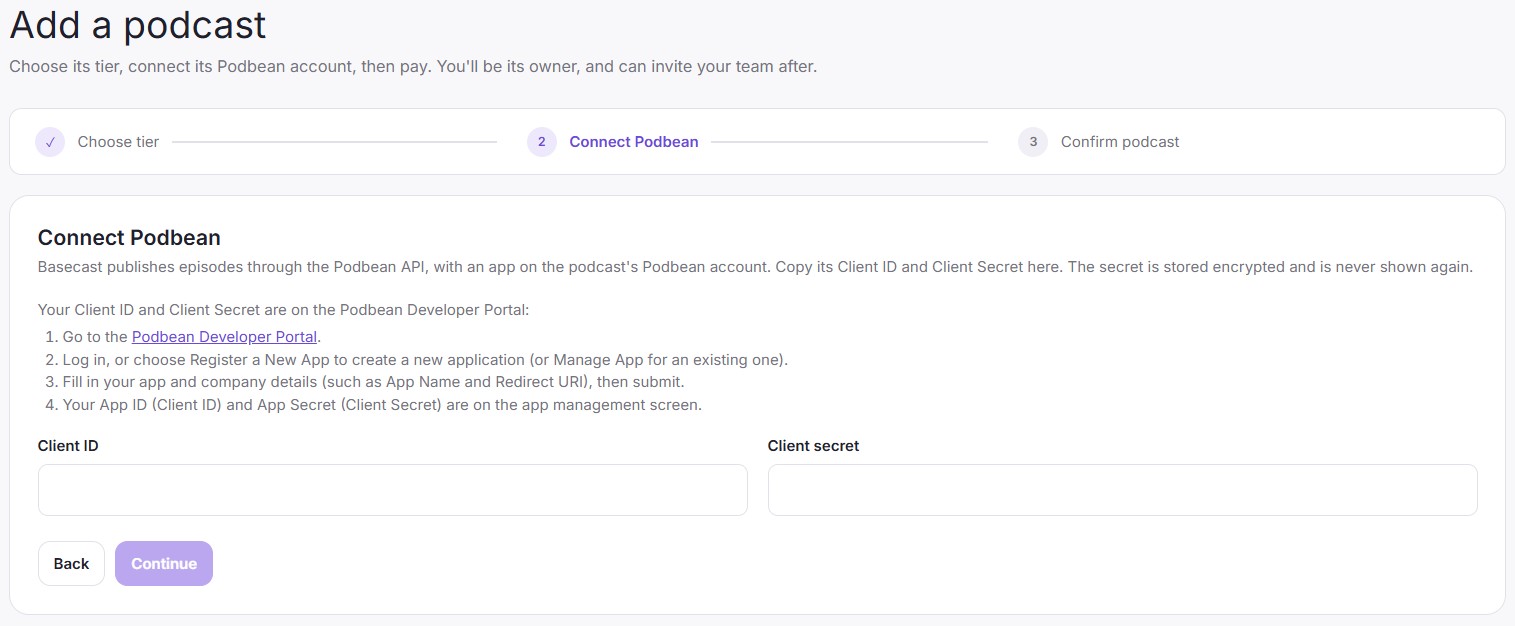
With a Basecast Podcaster account you can bring your own Podbean account. Basecast will use the Podbean API to publish your episode to the podcast host, which will take care of hosting and distributing your content to podcast apps. But to integrate your accounts you will need to provide the Podbean Client ID and Client Secret during account onboarding. This information isn’t available on your regular Podbean account, but it is easy to find.
The secret is stored encrypted on our AWS account (ap-southeast-2) and is never shown again.
Your Client ID and Client Secret are on the Podbean Developer Portal:
- Go to the Podbean Developer Portal.
- Log in, or choose Register a New App to create a new application (or Manage App for an existing one).
- Fill in your app and company details (the App Name can be the name of the podcast) then submit.
- Your Client ID and Client Secret are on the ‘My Apps’ --> ‘Manage App’ screen.
You will be able to publish to your Podbean account after copying your Client ID and Client Secret into the ‘Add a podcast’ screen and completing payment.
You will not need to complete these steps if you choose a ‘Publisher’ account, as we will take care of this for you and set up podcast distribution after you publish your first episode.